
Why ChatGPT Traffic Is Hard to See in GA4 (and How to Measure It)
By Franixo · · 9 minutes read
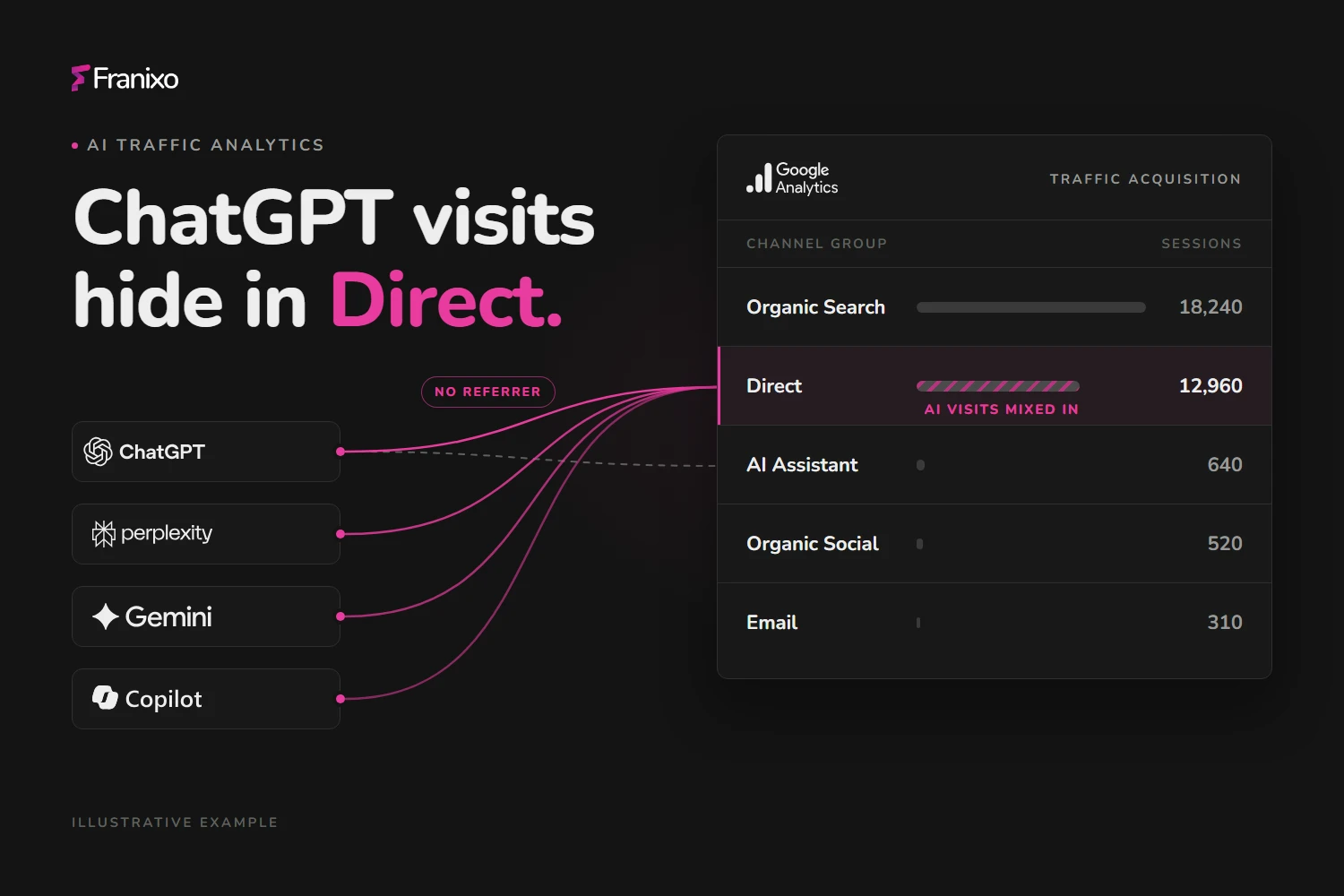
ChatGPT traffic is hard to see in GA4 because many AI-assisted visits arrive without a usable referrer: links opened from apps, copied URLs and later brand searches all look like Direct or Organic Search. Only the clicks that carry a referrer or a utm_source=chatgpt.com tag show up as ChatGPT, so your report shows a minimum, not the full picture. To measure it properly, group known AI assistant sources into their own channel, read landing pages alongside sessions, and treat the result as a conservative floor.
This guide explains where AI assistant visits go in GA4, what the new AI Assistant channel does and doesn't cover, and how to set up a channel group you can trust.
Why AI assistant visits go missing in GA4
GA4 decides where a session came from using two signals: campaign parameters in the URL (utm_source, utm_medium and so on) and the referrer the browser sends. When neither is present, the session is recorded as (direct) / (none). AI assistants lose one or both signals more often than a classic search result does.
The referrer is often missing
A referrer is only sent when a browser follows a link from one web page to another. Several common AI journeys never do that:
- App clicks. A link tapped in a desktop or mobile app is often opened without a referring web page, so the browser has nothing to report. The exact behaviour depends on the app and the operating system.
- Copied URLs. People copy a link from an answer and paste it into a new tab, a message or a document. That visit starts with no referrer.
- Privacy defaults. Modern browsers send only the origin (for example
https://chatgpt.com/) to other sites by default, and a site can choose to send nothing at all.
utm_source=chatgpt.com helps, but it isn't a guarantee
OpenAI's Publishers and Developers FAQ says ChatGPT automatically adds utm_source=chatgpt.com to referral URLs, so publishers can track traffic from ChatGPT search results in tools such as Google Analytics. In GA4 that value becomes the session source even when the referrer is missing.
There are limits. The tag is a source only, and GA4 reports missing campaign parameters as (not set), so a tagged visit without utm_medium arrives as chatgpt.com / (not set). GA4's AI Assistant rule only checks the medium, so unless GA4 itself sets that medium to ai-assistant, the visit falls into Unassigned, the channel GA4 uses when no rule matches. The tag also only appears on links ChatGPT itself outputs; a brand name mentioned without a link sends no tag at all. Finally, the tag is part of the URL, so a tagged link that someone copies and shares elsewhere will still be credited to ChatGPT.
"Direct" and "Organic Search" absorb the rest
Many AI-assisted visits never click a link in the answer. Someone reads a recommendation in ChatGPT, then types your domain or searches your brand on Google. GA4 records that as Direct or Organic Search, and there is no technical way to connect it back to the AI answer.
Where ChatGPT visits can end up in GA4
| What the user did | What GA4 typically records | Default channel |
|---|---|---|
| Clicked a link in ChatGPT in a browser, referrer sent | Source chatgpt.com | AI Assistant (since May 2026); Referral before |
Clicked a link tagged utm_source=chatgpt.com | Source chatgpt.com, medium may be (not set) | Unassigned if the medium stays (not set); AI Assistant if GA4 sets it to ai-assistant |
| Opened the link from an app without a referrer or tag | (direct) / (none) | Direct |
| Copied the URL into a new tab | (direct) / (none), or chatgpt.com if the URL kept the tag | Direct, or as in row 2 |
| Read the answer, then searched the brand on Google | google / organic | Organic Search |
| Opened a tagged link someone shared in email or chat | Source chatgpt.com | Credited to ChatGPT although the click came elsewhere |
What GA4's AI Assistant channel covers
On 13 May 2026 Google Analytics added an AI Assistant channel to the default channel group. When the referrer matches a recognised AI assistant, GA4 sets the medium to ai-assistant and the campaign to (ai-assistant), and any session with the medium ai-assistant falls into this channel. Google names sources like ChatGPT, Gemini, DeepSeek, Copilot and Grok as examples, and excludes AI Overviews and AI Mode in Google Search.
That is a real improvement, but three gaps remain:
- Google doesn't publish the full list of recognised assistants, so you can't audit what is included.
- Default channel groups can't be edited.
- It still depends on the referrer, so app clicks, copied URLs and later brand searches stay in Direct or Organic Search.
A custom channel group gives you a definition you control and can check. You can keep both: use the default group for day-to-day reporting and your own group for an auditable AI number.
How to set up an AI channel group in GA4
You need the Editor role on the property. A standard GA4 property allows two custom channel groups, and each group is evaluated top to bottom: a session lands in the first channel whose rules it matches.
-
In GA4, open Admin → Data display → Channel groups and click Create new channel group. GA4 starts it as a copy of the default group.
-
Name it, for example "Channels incl. AI assistants".
-
Click Add new channel, name it "AI assistants" and add the condition Source · matches regex with this pattern:
^(www\.)?(chatgpt\.com|chat\.openai\.com|perplexity\.ai|gemini\.google\.com|bard\.google\.com|copilot\.microsoft\.com|copilot\.cloud\.microsoft|claude\.ai)$ -
Move "AI assistants" above Referral (and above Unassigned), otherwise those sessions are caught by Referral first.
-
Save. Custom channel groups apply to your reports retroactively, so you can compare earlier months straight away.
-
In Reports → Acquisition → Traffic acquisition, switch the primary dimension to your new channel group.
The pattern is anchored with ^ and $ and matches exact hostnames, so a look-alike such as notchatgpt.com is not counted. Loose patterns like .*gpt.* or .*ai catch more, but they also catch unrelated sources. To add another assistant, first check which exact source value it produces in your own Traffic acquisition report, then extend the list.
Read landing pages, not just sessions
Session counts tell you how much traffic AI assistants send. Landing pages tell you why. Add Landing page as a secondary dimension and filter on your AI channel:
- Pages AI cites. If an assistant cites a comparison page or a pricing page, that is where AI visitors start. Check whether those pages answer the question they came with.
- Engagement and key events. Engaged sessions and key events per landing page show whether AI visitors read on and convert, not just arrive.
- Unexpected entries. A deep help-centre article that suddenly receives AI traffic is a sign that assistants use it as a source.
To see what AI answers actually say about you, and which of your pages they cite, you need answer data rather than analytics. That is the AI visibility side of the picture.
What the numbers can and can't tell you
Treat the AI channel as a minimum. Every visit in it really came from an AI assistant, but some AI-influenced visits are in Direct and Organic Search and will stay there. Avoid "correcting" this by moving a share of Direct into AI: an estimate you can't verify is harder to defend than a conservative number.
Two habits make the trend more reliable:
- Compare like with like: the same channel definition, the same period length, week over week or month over month.
- Read traffic next to visibility. A rise in AI sessions after your brand starts appearing in more answers is a useful signal, even though it doesn't prove cause and effect.
How Franixo measures AI referral traffic
Franixo's AI referral traffic feature connects to your GA4 property with read-only access through a service account and reads aggregated numbers only. It counts sessions, engaged sessions and key events from ChatGPT, Perplexity, Gemini, Microsoft Copilot and Claude, matching the GA4 session source exactly against each assistant's hostnames. Direct and (not set) traffic is never counted or estimated.
You see AI referral traffic per assistant next to your AI Visibility Score, a landing page list that shows which pages were cited in AI answers, and a weekly comparison in your scan results email. Traffic is context only: it isn't part of the AI Visibility Score. If you want to grow the visits, start with how to appear more in AI answers.
Frequently Asked Questions
Why does ChatGPT traffic show up as Direct in GA4?
A visit is recorded as Direct when it has no referrer and no campaign parameters. That happens when a link is opened from an app without a referring web page, when someone copies a URL from an answer into a new tab, or when the link wasn't tagged.
Does ChatGPT add utm_source=chatgpt.com to every link?
OpenAI says ChatGPT adds utm_source=chatgpt.com to referral URLs, but you shouldn't assume every visit carries it. Brand mentions without a link send no tag, and copied or shared links can carry it to places that aren't ChatGPT.
Do I still need a custom channel group now that GA4 has an AI Assistant channel?
Not necessarily, but it helps. The default AI Assistant channel uses a list of assistants Google doesn't publish, and default groups can't be edited. A custom group with an exact hostname regex gives you a definition you can audit and change.
Which regex should I use for AI traffic in GA4?
Use an anchored pattern that matches exact hostnames, for example the one in this guide covering chatgpt.com, chat.openai.com, perplexity.ai, gemini.google.com, copilot.microsoft.com and claude.ai. Place the channel above Referral in the channel group so it is evaluated first.
Can I estimate the AI traffic hidden in Direct?
There is no reliable way to separate AI-influenced visits from other Direct visits in GA4. Report the AI channel as a conservative minimum and follow its trend over time instead of adding an estimate.